A blockchain explorer is a tool for looking up public on-chain data. You can enter a TXID, a wallet address or a block height to see a transaction's status, its number of confirmations, the sender address, the recipient address, the fee and any token transfers.
What a blockchain explorer is
A blockchain explorer is a free web tool that shows everything recorded on a public blockchain: transactions, wallet addresses, and blocks. Because public chains are transparent, anyone can look this data up — no account required. Popular explorers include Etherscan (Ethereum and EVM chains), Mempool.space (Bitcoin), and Solscan (Solana).
What you can look up
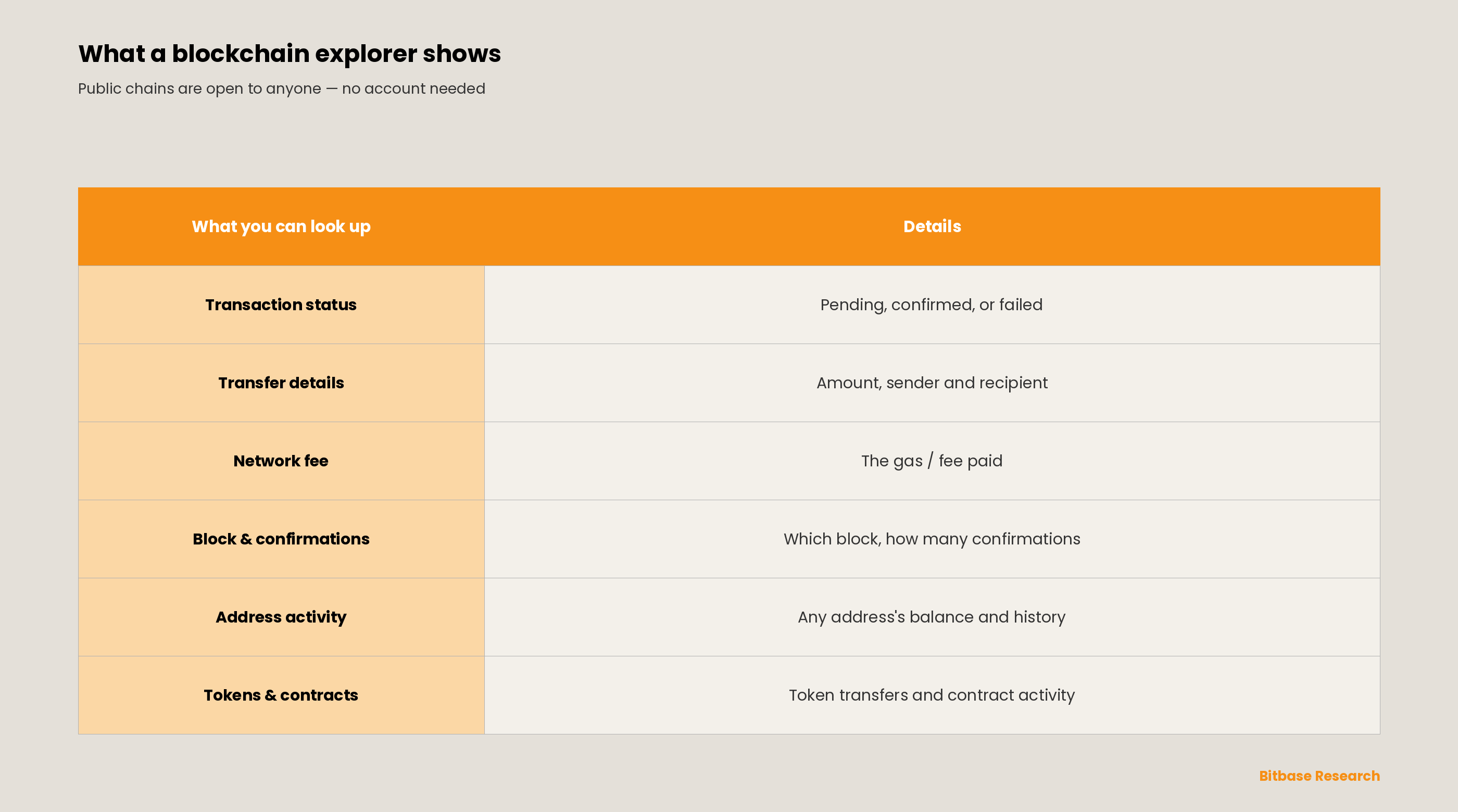
Paste a transaction hash or an address into the search bar, and the explorer lays out the on-chain details clearly:
How to check a transaction
- Open the explorer for the right network. Etherscan for Ethereum, Mempool.space for Bitcoin — pick the one for the chain your transaction is on.
- Paste the transaction hash (TXID). This is a unique identifier — typically 64 hexadecimal characters on Ethereum and Bitcoin — that you drop into the search bar.
- Read the result. The explorer shows the status (pending, confirmed, or failed), the sender and recipient, the amount, the network fee, and the block it landed in.
Why it is useful
A blockchain explorer is the simplest way to independently verify what happened on-chain: confirm a transfer arrived, check how many confirmations it has, look up any address's balance and history, or inspect a token contract. The whole process needs no account and is open to anyone.
The bottom line
A blockchain explorer turns public but cryptic on-chain data into something anyone can read and verify. Knowing how to use one is a core skill for moving around crypto safely. To keep learning the fundamentals, follow more from Bitbase Academy.
Frequently asked questions
What can a blockchain explorer show you?
A blockchain explorer shows everything a public chain records: a transaction's status, its sender and recipient, the amount and the network fee, the block it landed in and how many confirmations it has, plus any address's balance and history and a token contract's activity. No account is needed.
How do you check a transaction with a TXID?
Open the explorer for the network the transfer was sent on, paste the transaction hash into the search bar and read the result. The page shows whether the transaction is pending, confirmed or failed, together with the sender, the recipient, the amount and the fee.
Can a wallet address tell you who owns it?
No. An explorer shows an address's balance and transaction history, but not the identity behind it. Addresses are pseudonymous: they are public, yet nothing in the on-chain data ties one to a name.
Why can a transaction not be found on an explorer?
The most common reason is using an explorer for the wrong network — a Bitcoin transaction will not appear on an Ethereum explorer. It also happens when the hash was copied incompletely, or when the transaction has not been broadcast to the network yet.
Related reading
Other Bitbase articles on this topic:
- What Is Qubic? A Quorum-Based Computer for Smart Contracts
- What Is Ravencoin? Native RVN and On Chain Assets
Disclaimer: This article is educational content from Bitbase Academy, provided for information only. It does not constitute investment, trading, tax, or financial advice. Written as of June 2026; tools and interfaces may change, so refer to the latest official information.
References
[1] Coinbase Help, "What is a transaction hash/hash ID?" help.coinbase.com
[2] Trust Wallet, "How to Use a Blockchain Explorer." trustwallet.com